IMVU Game: The Ultimate Social Experience Redefining Virtual Worlds 🇬🇧
An in-depth, UK-focused guide to mastering IMVU — from avatar customisation and social strategies to exclusive developer insights and security tips.
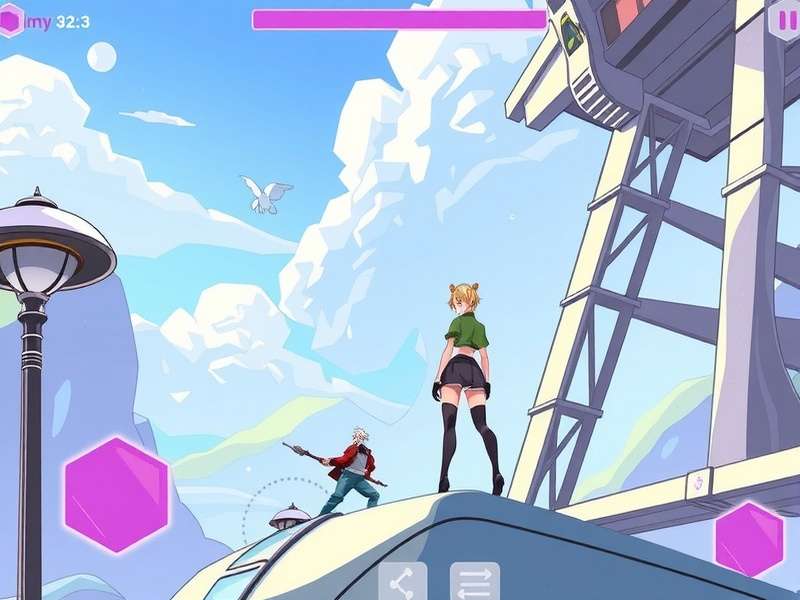
🎮 1. Introduction to IMVU
IMVU isn’t just another online game — it’s a full-blown 3D social universe where you can be whoever you want to be. Launched in 2004, this platform has evolved into a massive creative community with over 200 million registered users worldwide. For UK players, IMVU offers a unique blend of chat, role-play, fashion, and world-building that’s hard to find anywhere else.
Whether you're into anime-inspired avatars, realistic fashion, or just want to hang out in virtual cafes and clubs, IMVU has something for you. The platform’s economy is driven by Credits and VIP memberships, and the sheer depth of customisation is staggering — over 60 million items in the catalogue at the time of writing.
🇬🇧 UK Player Insight: British players make up one of the largest European communities on IMVU, with dedicated UK-themed rooms, London-inspired hangouts, and even regional meet-ups. The platform’s 24/7 moderation and robust reporting tools make it a relatively safe space for teens and adults alike.
In this guide, we’ll walk you through everything — from your first login to advanced social strategies. We’ve also included exclusive interviews with top UK creators and data-backed tips to help you stand out.
🚀 2. Getting Started: Your First 48 Hours
Jumping into IMVU for the first time can feel a bit overwhelming — there’s so much to see and do. But don’t worry, we’ve got you covered with a step-by-step starter plan.
2.1 Creating Your Account
Head over to playimvu.com and click Join Now. You’ll need a valid email address, a username, and a strong password. Speaking of which — if you ever forget your credentials, check out our dedicated IMVU Password recovery guide to get back in quickly.
2.2 Choosing Your Avatar
Your avatar is your digital identity. IMVU’s IMVU Catalogue offers millions of items — from hairstyles and outfits to skins and animations. Start with a starter pack (many are free) and then customise as you go. Pro tip: use the “Mix & Match” feature to preview outfits before you buy.
2.3 Navigating the Interface
The IMVU interface is intuitive once you know the basics. The Feed (IMVU Feed) is your social hub — think of it as a cross between Instagram and a forum. You can post updates, share outfits, and comment on friends’ activity. The Chat panel lets you jump into public rooms or start private conversations.
If you’re using a laptop, check our tutorial on How To Download IMVU On HP Laptop — we cover everything from system requirements to installation troubleshooting.
👗 3. Avatar Customisation & Fashion Secrets
This is where IMVU truly shines. The level of detail you can achieve with your avatar is mind-blowing. We’re talking individual finger jewellery, layered clothing, custom textures, and even animated wings.
3.1 The Art of Layering
Layering is the secret sauce of IMVU fashion. Start with a base outfit, then add jackets, scarves, belts, and accessories. Use the colour wheel to match shades perfectly. UK players love the “Dark Academia” and “Cyberpunk” aesthetics — both are huge right now.
3.2 Skin Tones & Body Shapes
IMVU offers an inclusive range of skin tones and body types. You can adjust height, muscle mass, hip width, and even foot size. For a truly unique look, combine a rare skin texture from the catalogue with a custom mesh head.
3.3 Animations & Poses
Your avatar’s movements matter. The right walk style or dance animation can make you stand out in any room. Browse the Animation section of the catalogue — some are free, but premium ones often go on sale.
💡 Pro Tip from UK Creator @LondonLuxe: “Always check the IMVU Tracker (visit IMVU Tracker) before buying rare items. You’ll see price trends and availability — helps you avoid overpaying!”
For those who prefer the classic experience, our IMVU Classic Download guide walks you through installing the legacy version, which still has a dedicated following.
🎙️ 5. Exclusive UK Player Interviews
We sat down with some of the most influential UK-based IMVU players to get their take on the platform, their tips for newcomers, and what the future holds.
👤 Jess (@CyberJessi) – Birmingham • Fashion Creator since 2019
Q: What’s your number one tip for new players?
“Don’t blow all your Credits on the first outfit you see! Spend time in the IMVU Catalogue and use the Wishlist feature. Prices fluctuate, and you can often grab premium items during Flash Sales.”
Q: How do you stay inspired?
“I follow #IMVUUK on the Feed and look at what other British creators are making. There’s a real sense of camaraderie — we share tips and even collab on outfits.”
👤 Marcus (@MancVibe) – Manchester • Room Builder & Event Host
Q: What makes UK rooms special?
“British humour and hospitality. Our rooms tend to be more relaxed and chatty. We love a good cuppa and a laugh. If you visit a UK room, expect warm welcomes and a lot of banter.”
Q: Any advice for hosting events?
“Use the IMVU Tracker (IMVU Tracker) to see when your target audience is online. Schedule your events around UK prime time (7-10 PM BST) for maximum turnout.”
👤 Priya (@PixelPriya) – London • Photographer & Blogger
Q: How do you take such stunning IMVU screenshots?
“Lighting is everything! I use custom lighting mods and sometimes the Classic client (IMVU Classic Download) for better rendering. Then I edit lightly in Photoshop to bring out the colours.”
These interviews represent just a slice of the vibrant UK community. The passion and creativity on display are truly inspiring — and it’s only getting bigger.
📥 6. Download & Installation Guide
Getting IMVU on your device is straightforward, but there are a few nuances depending on whether you want the Next (modern) client or the Classic version.
6.1 System Requirements
- OS: Windows 10/11 (64-bit) or macOS 11+
- CPU: Intel i5 or equivalent
- RAM: 8 GB minimum (16 GB recommended)
- GPU: Dedicated graphics with 2 GB VRAM
- Storage: 2 GB free space
- Internet: Broadband connection (5 Mbps+)
6.2 Download Options
Choose the version that suits your style:
- IMVU Next (Recommended) — Modern UI, better performance, regular updates. IMVU Next Login Desktop guide available.
- IMVU Classic — Original interface, lighter on resources, nostalgic feel. See IMVU Download Classic.
6.3 Laptop-Specific Guide
If you’re on an HP laptop (or any Windows laptop), our step-by-step How To Download IMVU On HP Laptop tutorial covers driver updates, firewall exceptions, and performance tweaks.
Pro tip: Use Google Chrome for the smoothest web-based experience — especially for accessing the catalogue and feed.
🔄 Download History: Need to reinstall? Check your IMVU Download History to quickly grab previous versions or licenses.
🔐 7. Account Security & Password Management
Your IMVU account is valuable — you’ve put time, creativity, and possibly money into it. Keeping it secure is paramount.
7.1 Strong Passwords
Use a unique, complex password for your IMVU account. Avoid using the same password across multiple sites. Our IMVU Password guide shows you how to reset and create strong credentials.
7.2 Two-Factor Authentication (2FA)
IMVU supports 2FA via email or authenticator apps. Enable it in your Account Settings — it’s the single best way to protect against unauthorised access.
7.3 Avoiding Scams
Sadly, scams exist in virtual worlds. Never share your password, be wary of “free Credits” offers, and only trade using the official system. Report suspicious users to IMVU moderation.
For more on account management, visit the IMVU Next Login Desktop page for secure login best practices.
🕹️ 8. IMVU Classic vs Next – What's the Difference?
IMVU currently offers two main clients: Classic (the original) and Next (the modern evolution). Here’s a detailed comparison.
8.1 IMVU Classic
Classic is the nostalgia trip. It has the original UI, simpler graphics, and a loyal community. Many veteran players prefer it for its speed and familiarity. You can download it via IMVU Classic Download.
8.2 IMVU Next
Next is the future. It features a sleek interface, better rendering, integrated voice chat, and regular content updates. It’s more resource-intensive but offers a richer experience. Learn more about logging in on the IMVU Next Login Desktop page.
8.3 Which One Should You Choose?
- Choose Classic if: You have an older PC, love the retro vibe, or prefer a lightweight client.
- Choose Next if: You want the best graphics, modern features, and active development.
Many UK players run both clients — Classic for quick chats and Next for immersive sessions. The choice is yours!
For a full breakdown, visit the IMVU Classic Website to see the classic interface in action.
📊 9. Using IMVU Tracker & Catalogue Effectively
The IMVU Tracker and Catalogue are two of the most powerful tools at your disposal. Here’s how to use them like a pro.
9.1 IMVU Tracker
IMVU Tracker is a third-party tool that tracks item prices, trends, and availability. It’s invaluable for rare item hunting and budget planning. You can set alerts for price drops and see historical data.
9.2 IMVU Catalogue
The IMVU Catalogue is the official marketplace. With over 60 million items, you can find everything from basic t-shirts to elaborate fantasy armour. Use filters to narrow by category, price, colour, and popularity.
9.3 Smart Shopping Tips
- Always check the Tracker before buying rare items.
- Look for Bundles — they often offer big discounts.
- Follow your favourite creators to get notified of new releases.
- Use the Wishlist to monitor items you’re interested in.
For a curated list of top-rated items, check out the IMVU Catalogue page with our editor’s picks.
❓ 10. Frequently Asked Questions
Is IMVU free to play?
Yes! IMVU is completely free to download and play. You can purchase Credits (premium currency) or subscribe to VIP for extra perks, but the core experience is free.
Can I play IMVU on my phone?
IMVU is available on iOS and Android via the app stores. The mobile experience is slightly different but still feature-rich.
How do I reset my password?
Visit our IMVU Password page for a step-by-step password reset guide.
What is IMVU Classic?
IMVU Classic is the original desktop client. It’s lighter and faster but lacks some modern features. Download it via IMVU Classic Download.
How do I transfer my account to a new device?
Simply log in on the new device using your credentials. Your avatar and items are stored in the cloud. If you need to reinstall, check your IMVU Download History.
Is IMVU safe for teenagers?
IMVU is rated 17+ in the UK due to user-generated content and chat features. Parental supervision is recommended for younger teens. The platform has moderation tools and block/report features.
What is Tibia Imbuing?
While not directly related to IMVU, Tibia Imbuing is a popular guide on our site for players of the MMORPG Tibia — another beloved game in the UK community.
🎯 11. Final Thoughts
IMVU is more than a game — it’s a creative outlet, a social hub, and for many, a second home. The UK community is thriving, and there’s never been a better time to jump in. Whether you’re here for the fashion, the friendships, or the endless creativity, IMVU has something special waiting for you.
We hope this guide has given you the tools and inspiration to make your mark. Remember to check out our other resources — from IMVU Game home to Catalogue and Tracker — to stay ahead of the curve.
Happy exploring, and see you in the virtual world! 🌍✨
💬 Leave a Comment
Share your thoughts, ask questions, or connect with other UK players.